
To get your Grow West vape pen working, you need to identify which battery model you have first, because the button sequences and settings differ between models. The most common ones sold at Grow West are the Evolab 510, the Stache NOD, the Savvy Green variable-voltage battery, and the AiroPro. Once you know your model, the basic pattern is: click the button 5 times to power on, screw in your 510-thread cartridge snugly (but not overtight), and hold the button while you inhale. Everything else, including changing heat settings, pre-heat mode, and reading the indicator lights, follows from there.
Grow West Vape Pen Instructions: Setup, Fill, Use & Fix

Marcus Thornfield
13 May 2026
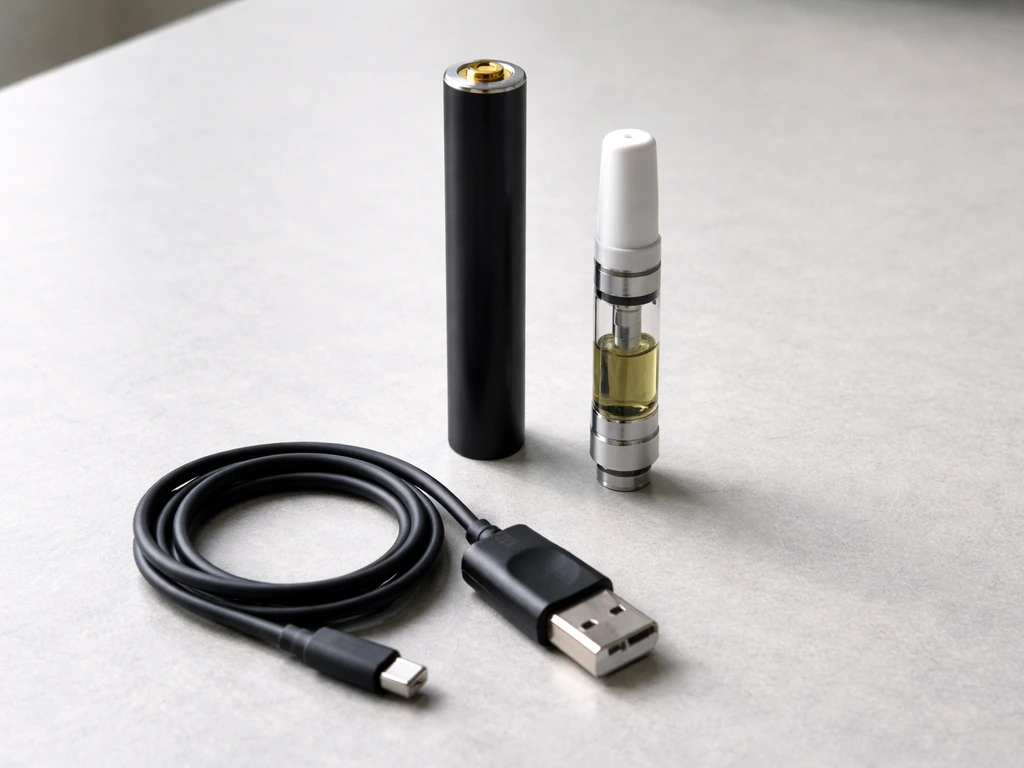
Figure out which Grow West vape pen you have
Grow West carries several different battery models, and the instructions are not interchangeable. Trying to follow the wrong guide is the number one reason people get confused. Here is how to tell them apart quickly.
| Model | Brand | Key identifier | Button layout |
|---|---|---|---|
| Evolab 510 Battery | Evolab | Gunmetal finish, single button, LED indicator | 5x on/off, 3x heat cycle, LED shows color setting |
| NOD Battery | Stache | 'NOD' branding, faded color options, 500 mAh | 5x on/off, 3x voltage, 2x preheat |
| Savvy Variable Voltage Battery | Savvy Green | Color-coded LED (blue/green/red), single button | 5x on/off, 2x to cycle heat settings |
| AiroPro | Airo Brands | No buttons, no lights, haptic (vibration) feedback only | Draw-activated, vibrates on use or low battery |
If your device vibrates when you draw but has no buttons and no lights, you have the AiroPro. If it has a single button and changes through blue, green, and red LEDs, it is the Savvy. If the button cycles through four voltage levels (2.8V, 3.2V, 3.6V, 4.0V), you have the Stache NOD. And if it has a gunmetal finish and a single LED that shows blue for optimal vaping, that is the Evolab. Check the box or the product receipt from Grow West if you are still unsure.
Unboxing and what to check before you do anything
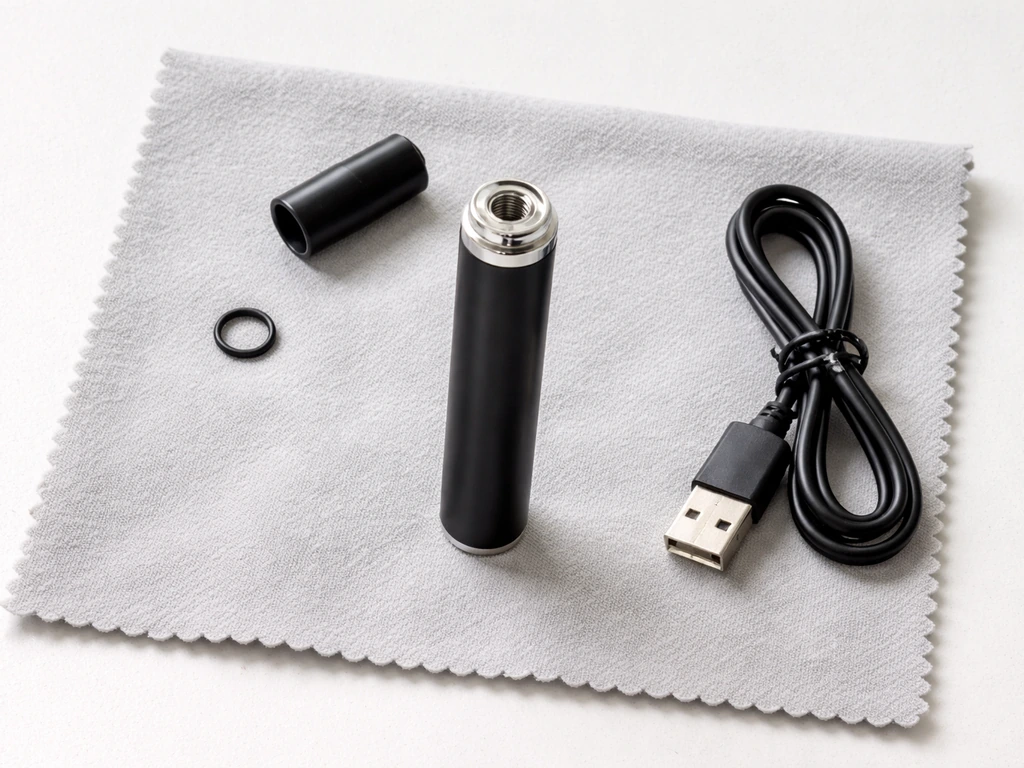
Before you power anything on, do a quick physical check. Pull everything out of the box and look at the threading at the top of the battery. It should be clean, with no debris or residue in the center contact pin. That small gold or silver pin in the middle of the 510 connection is what carries power to your cartridge, and it gets bent or pushed down more often than people realize. Press it lightly with a toothpick or the tip of a paperclip: it should have a tiny bit of spring to it. If it is completely flat or stuck, that is your first problem to solve before anything else.
- Inspect the 510 threading for cross-threading or visible damage
- Check the center contact pin for spring tension
- Make sure the USB-C or micro-USB charging port is clear of lint or debris
- Confirm the cartridge (if included) has no visible cracks or leaking oil at the base
- If the battery arrived pre-charged, do a 30-minute top-up before first use anyway
Charging your battery the right way
Most Grow West batteries charge via USB-C or micro-USB. Use the cable that came in the box if possible, and plug into a standard 5V USB wall adapter or your computer. Avoid fast-charge adapters for small vape batteries since the higher wattage can stress a small cell.
One thing that trips people up with the Stache NOD: the battery light does NOT stay on during the entire charge. It only lights up for the first few seconds, then goes dark. That is normal behavior, not a sign the charger is broken. The light will typically flash or stay solid again when charging is complete. If you pull the cable and the device powers on with a button press, it is charged.
For CCELL-based batteries like the Fino, charging is USB-C and the device includes a 10-second preheat function. Let the battery charge for at least 45 to 60 minutes before your first use. If you plug it in and see zero indicator response after two minutes (no brief flash, no LED), try a different cable first before assuming the battery is dead.
Attaching a 510 cartridge
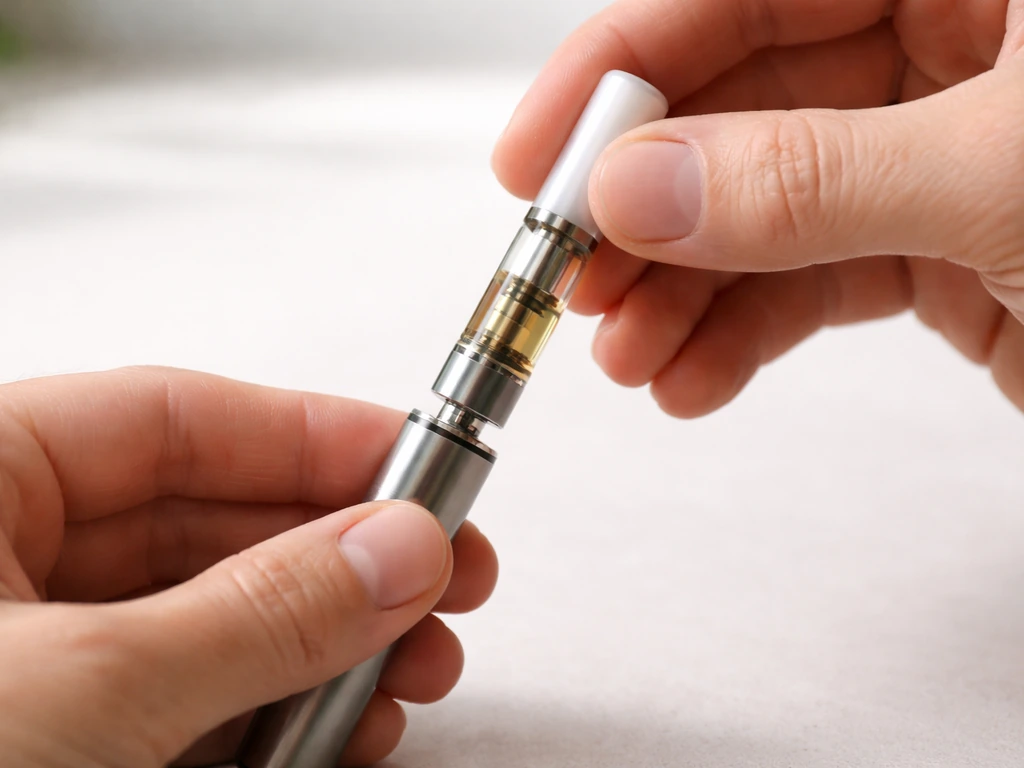
All the Grow West batteries except the AiroPro use the standard 510 thread. Screw the cartridge in by hand, clockwise, until you feel resistance. Then back off a quarter turn. People constantly overtighten 510 cartridges and either strip the thread or push the center pin down too far, which breaks the electrical connection. If the wick inside your cartridge is starting to dry out, lower the voltage and take shorter draws to prevent burnt taste. Snug but not firm is exactly right.
How to power on, change settings, and take a hit
Almost every button-operated Grow West battery uses the same 5-click power on/off sequence. Click the button 5 times in under 2 seconds. You will see the LED blink or flash to confirm. Here is a model-by-model breakdown of what to do next.
Evolab 510 battery
- Click the button 5 times to power on. The LED will blink.
- To change heat settings, press the button 3 times to cycle to your desired temperature.
- Blue is noted as the optimal setting for vaping on this model.
- Hold the button and inhale slowly for 2 to 3 seconds.
- Click 5 times again to power off when done.
Stache NOD battery
- Click the button 5 times to power on.
- Click 3 times to cycle through the four voltage settings: 2.8V, 3.2V, 3.6V, and 4.0V.
- Start at 2.8V if you are new to this cartridge to avoid a burnt taste.
- Double-click the button to enter pre-heat mode, which gently warms the oil before your first draw.
- Hold the button and inhale. Release the button just before you stop drawing.
- Click 5 times to power off.
Savvy Green variable voltage battery
- Click the button 5 times to power on.
- Press the button 2 times to cycle through heat settings.
- Blue LED = low heat, green LED = medium heat, red LED = high heat.
- Start on blue (low) if it is a new cartridge.
- Hold the button and inhale for a smooth, steady draw.
- Click 5 times to power off.
AiroPro
The AiroPro has no buttons and no LED lights. Instead it uses haptic feedback, meaning it vibrates. Just attach your AiroPro cartridge (note: these are proprietary, not standard 510) and inhale. The device will vibrate briefly to confirm it is working. If the battery is getting low, it switches to short, rapid pulses during your draw. There is nothing to turn on or off manually.
Fixing the most common problems
Device won't turn on
First, make sure you are clicking quickly enough. Five clicks need to happen within about 2 seconds. If you click slowly, the device ignores the sequence. Try again with a fast, deliberate rhythm. If it still won't respond, plug it in to charge for 30 minutes. A deeply discharged battery sometimes won't show any sign of life until it has a little charge in it.
No vapor when you draw
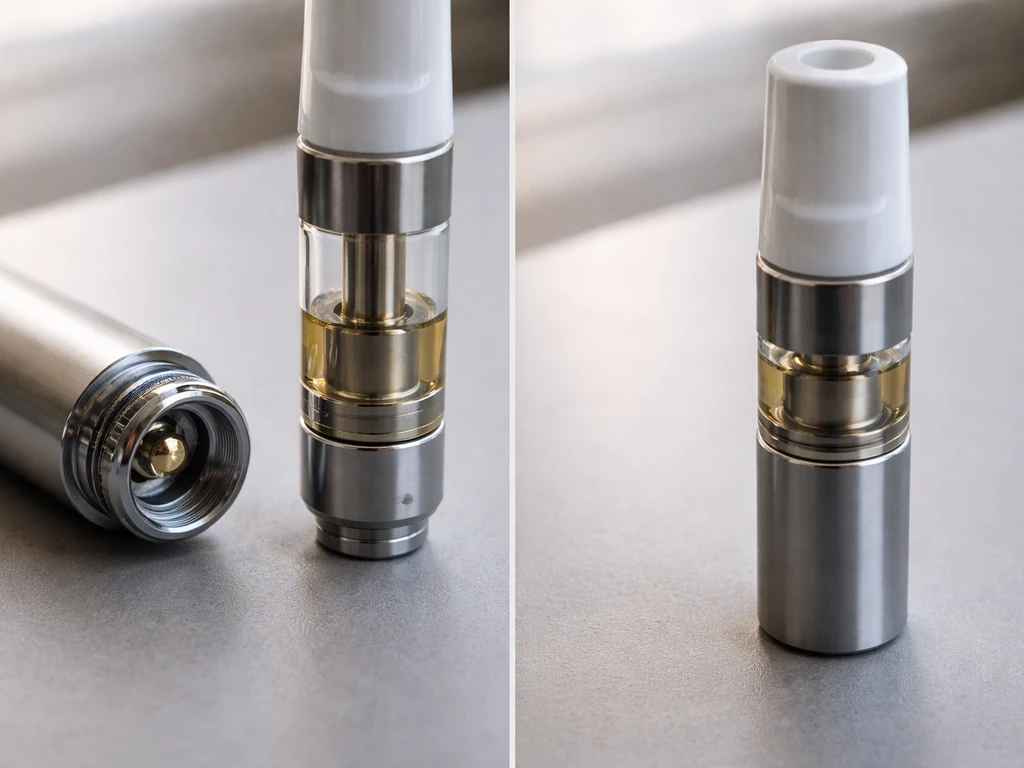
- Check that the cartridge is actually threaded in and making contact. Unscrew it and re-seat it.
- Inspect the center contact pin on the battery. If it is recessed too far, gently lift it with a toothpick.
- Make sure the battery is powered ON, not just charged. Confirm the LED shows active.
- Try the pre-heat function (double-click on the NOD, single tap on CCELL Fino) to loosen thick oil.
- If the cartridge is new and cold, let it sit at room temperature for 10 minutes before trying again.
Blinking lights and what they mean
On most Grow West batteries, a rapid blink (usually 10 or 15 times) when you press the button means the battery needs to be charged. A slower blink or a different color blink during a draw typically means the battery is detecting a short or an improperly attached cartridge. Unscrew the cartridge, check the connection, and re-attach. If the blinking continues with no cartridge attached, the battery itself may have an internal fault.
Clogged cartridge or weak airflow
Clogs are extremely common with thicker oils, especially in cold weather. The fastest fix is the pre-heat mode: double-click (NOD) or use the preheat button (CCELL Fino) to gently warm the oil for about 10 seconds before drawing. Do not cover the airflow holes at the base of the cartridge while drawing. You can also try gently warming the cartridge between your palms for 30 seconds. If the mouthpiece itself is blocked with dried residue, use a thin pin or a toothpick to clear the opening carefully without pushing debris further down.
Burnt taste
A burnt taste almost always means you are either drawing too hard, drawing for too long, or the heat setting is too high. Drop down to the lowest voltage setting and try a shorter, gentler draw of about 2 seconds. If the cartridge is nearly empty, the wick inside can dry out and burn. At that point, the cartridge is done and needs replacing.
Leaking oil
Oil leaks usually happen when the cartridge is stored horizontally or upside-down, or when you draw too hard and pull liquid directly into the mouthpiece. Store your device upright when not in use. If oil has gotten into the battery connection, use a cotton swab lightly dampened with isopropyl alcohol to clean out the threading and center contact. Let it dry completely before reattaching the cartridge.
Keeping it clean and running well
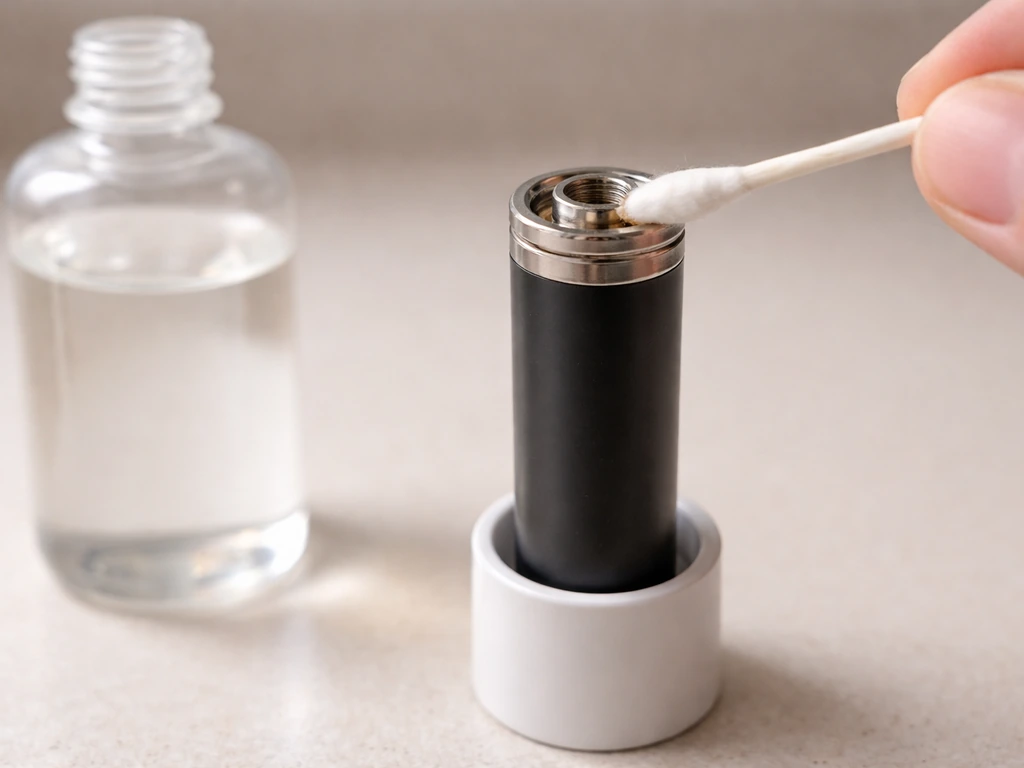
Vape pen batteries are low-maintenance, but a little routine care prevents most of the problems listed above. Once a week (or every few cartridges), do a quick clean of the 510 connection and the mouthpiece area.
- Power off the battery and unscrew any attached cartridge.
- Dip a cotton swab in 91% or higher isopropyl alcohol and gently wipe the inside of the 510 threading.
- Use a dry swab or a clean corner of a paper towel to dry it out.
- If there is residue on the mouthpiece of the cartridge, wipe it with a damp swab and let it air-dry.
- Check the center contact pin for any oil buildup and gently clean it with a dry toothpick.
- Never submerge any part of the battery in liquid or run it under water.
Avoid letting oil sit in the connection for days at a time. It gums up the contact and leads to inconsistent hits or no-power issues. A quick wipe every time you swap cartridges takes 30 seconds and saves you a lot of frustration later.
Safe storage, battery care, and when to retire your pen
Store your Grow West vape pen upright, at room temperature, away from direct sunlight and extreme heat. Heat degrades lithium batteries fast and can thin the oil enough to cause leaks. Cold slows the oil down and makes clogs more likely. A drawer or a small case away from a windowsill is ideal.
- Never leave the battery charging overnight or unattended for long periods.
- Do not carry a loaded vape pen loose in a bag where the button can be pressed accidentally and activate the heating element.
- Keep it away from metal objects like keys and coins that can short the battery contacts.
- Do not use a damaged cartridge that has visible cracks, as leaking oil near the battery is a fire risk.
- If the battery feels unusually hot during use, stop immediately and let it cool before inspecting.
Know when to stop using a device. If your battery blinks constantly and won't hold a charge after a full charge cycle, the cell is worn out. If the device gets hot to the touch during a normal draw, there may be an internal short. If the button is stuck or the threading is cracked, do not try to repair it yourself. Drop it off at a proper battery recycling point (many dispensaries including Grow West locations accept them) and pick up a replacement. A cheap 510 battery is not worth the risk of continuing to use a defective one.
If you are exploring other grow-kit and self-watering systems on this site, you will find the same approach applies across the board: identifying your exact model first always unlocks the most accurate instructions, and most problems have a simple physical fix once you know what to look for. Following the correct Costa Farms Wick and Grow instructions starts the same way: match the system to what you have so the steps apply correctly. If you are using a wick and grow self watering system, the key instructions start with checking the setup and components so you can water safely and consistently grow-kit and self-watering systems. You can use the same careful model-checking mindset when you look up self-watering grow kit instructions for your setup. If you are setting up a wick and grow self watering system, you can use the same careful approach: confirm your exact setup details first, then follow the correct assembly and maintenance steps for reliable watering self-watering systems. The Grow West vape pen line is no different. Get the model right, follow the correct button sequence, keep the connection clean, and you will have a smooth experience from the first draw onward.
FAQ
My Grow West battery blinks like it detects a short, even when the cartridge is attached. What should I check first?
If the cartridge screws in but you get repeated short/blink behavior during draws, stop using it and inspect two things: the center contact pin on the battery (make sure it springs back when gently pressed) and the underside contact area of the cartridge (look for residue that can insulate the connection). Reattach after a quick wipe of both contact surfaces with a dry, lint-free cloth.
Should I always start on the highest heat/voltage, or is there a better way to ramp up?
Yes. If you have a variable-voltage model, start at the lowest setting and increase gradually, especially after the cartridge has been sitting. Thicker or colder oil often needs pre-heat first, then a lower voltage and shorter puffs to avoid burnt flavor and wick damage.
Can I use my Grow West vape pen while it is charging?
Do not use the vape to charge or as you charge. First fully recharge the battery, then power on with the normal 5-click sequence (or rely on haptics for the AiroPro). Using it while charging can overheat the small battery cell and also makes it harder to judge whether the charger or the battery is actually the issue.
I refilled or replaced the cartridge and it tastes burnt right away. How do I troubleshoot?
If a cartridge tastes burnt quickly after filling, reduce heat and draw time, then check for leaks or dryness. A common fix is switching to a lower voltage and doing two or three short, gentle draws with a 20 to 30 second pause between them, so the wick re-saturates instead of continuing to burn dry.
I cleaned the 510 connection with isopropyl alcohol, and now it still won’t work. What did I miss?
Clean the 510 connection and mouthpiece area, then let everything dry before reassembly. If you use alcohol to clean, it can leave moisture behind; give it a full dry period (at least several minutes, longer if it pooled) to prevent poor contact or continued blinking.
The guide says “5 clicks.” Does that apply to the AiroPro, or what if mine won’t vibrate?
For the AiroPro specifically, do not try to apply the 5-click on off sequence. It has no buttons, it relies on vibration and power state from the battery. If it does not vibrate on inhale, plug it in for about 30 minutes and then test again.
My battery shows no lights during charging. Is it always a dead battery?
If your battery shows no LED response after being plugged in, try the simplest fix first: switch to a different cable. Also confirm the adapter outputs a steady 5V USB supply, and avoid high-watt fast chargers for small vape batteries.
Could overtightening the cartridge cause performance problems, and how do I set the “right” tightness?
Overtightening is a frequent cause of no power or short detection. Screw the cartridge in until you feel resistance, then back off about a quarter turn. This protects the center contact pin from being pushed down too far, which can break the electrical connection.
How do I know when the cartridge is fully used up, not just running low on heat or oil?
Plan to replace the cartridge when the wick keeps burning despite lower voltage and shorter draws, or when you see persistent burnt taste with almost no vapor. Once the wick dries out, it usually cannot be restored by settings alone.
At what point should I stop troubleshooting and treat the battery as unsafe or defective?
If the device gets hot during a normal draw or keeps blinking after you confirm the cartridge is properly attached and the connection is clean, stop using it. Battery issues can indicate an internal fault or short, and the safest next step is to recycle it and replace it rather than trying to repair it yourself.